Batch Photo Listing: AI Part Identification for Powersports
If you have ever spent a long, greasy afternoon tearing down a wrecked motorcycle, ATV, or side-by-side, you already know the universal truth of the salvage business: taking the machine apart is the fast part. The real bottleneck, the absolute most tedious part of the job, is the seemingly endless data entry required to get those dismantled components listed online. For years, dismantlers have accepted this as an unavoidable cost of doing business. You wash your hands, sit down at a keyboard, and painstakingly create individual listings for every single stator, carburetor, and brake caliper. You measure, you photograph, you research part numbers, and you type until your fingers ache.
But what if you could eliminate the keyboard entirely from the initial listing phase? What if your camera could do the heavy lifting for you? The powersports salvage industry is undergoing a massive technological shift, moving away from archaic manual entry and embracing the raw power of artificial intelligence and machine learning. In an industry where time is quite literally money, the ability to process a freshly dismantled bike in a fraction of the time is not just a convenience—it is a massive competitive advantage that can dramatically scale your monthly revenue.
Today, we are thrilled to introduce a groundbreaking feature designed specifically for the unique workflows of salvage yards and dismantlers: Batch Photo Listing. By leveraging advanced computer vision and machine learning, this new tool allows you to photograph piles of parts and let the software identify, categorize, and draft listings for them automatically. Say goodbye to the soul-crushing routine of one-by-one data entry. In this comprehensive guide, we will explore exactly how this technology works, how to implement it in your shop, and how it can completely revolutionize your powersports inventory management.
The Hidden Cost of Manual Data Entry in Salvage
To truly understand the value of modern listing tools, we first need to break down the traditional salvage workflow. Let us say you purchase a wrecked sportbike at auction. You get it back to the shop, throw it on the lift, and spend three hours tearing it down to the bare frame. You are left with roughly 80 to 120 sellable parts, depending on the condition of the bike and your specific market strategy.
Now comes the digital labor. Historically, a dismantler would take a part, place it in a photo booth, snap four to six angles, transfer those photos to a computer, and open a new listing form. They would manually type in the year, make, and model, select the category, write a title, describe the condition, research the market price, assign a custom SKU or bin location, and finally hit publish. Even for an experienced seller, this process takes an average of four to six minutes per part.
Do the math. At five minutes per part, listing 100 parts takes over eight hours of continuous, uninterrupted data entry. That is an entire workday dedicated solely to typing and clicking, entirely separate from the physical labor of the teardown. When you factor in the hourly wage of your employees (or the value of your own time as an owner-operator), the cost of listing often eats deeply into the profit margins of lower-dollar components. Many yards simply throw perfectly good $30 parts into the scrap bin because the labor cost to list them exceeds their market value.
This inefficiency limits growth. You can only buy and dismantle as many bikes as your team can physically list. If your yard has a backlog of unlisted inventory sitting on shelves gathering dust, you are essentially functioning as a museum, not a business. The primary barrier to scaling a salvage operation has never been a lack of available inventory; it is the sheer administrative burden of processing it.
Introducing the RevParts Batch Lister
This is exactly where the new RevParts batch lister steps in to change the equation. We looked closely at how successful dismantlers operate on the shop floor. We realized that the most efficient way to work is in batches: tear down the whole bike at once, clean all the parts at once, and photograph all the parts at once. The problem was that software had not caught up to this physical workflow.
With the RevParts batch lister, you can now align your digital workflow with your physical workflow. Instead of uploading photos for one part, creating the listing, and then moving to the next part, you can shoot photos for all 100 parts from that dismantled bike in one continuous, rapid-fire session. You then take that entire folder of hundreds of photos and drop them into the platform simultaneously.
The system automatically groups the photos based on time-stamps and visual similarities, creating distinct draft listings for each individual item. It is a true bulk inventory upload solution built entirely around the reality of powersports salvage. But grouping photos is only the first step. The real magic happens when the system looks at those photos and begins to understand exactly what it is seeing.
How AI Part Identification is Changing the Game
Artificial intelligence has been a buzzword for years, but its application in the powersports salvage industry is highly specialized. We are not talking about a generic AI that can tell a dog from a cat; we are talking about a highly trained computer vision model specifically engineered to recognize the nuances of motorcycle, ATV, PWC, and snowmobile components.
When you upload your batch of photos, our AI part identification engine goes to work analyzing the shapes, contours, metallic textures, and distinct features of every single item. It has been trained on millions of images of powersports parts in varying conditions—dirty, greasy, rusted, and pristine.
Here is what the AI part identification system does the moment your photos hit the server:
- Category Recognition: The AI instantly knows the difference between a transmission mainshaft and a camshaft. It correctly categorizes items into complex taxonomy trees (e.g., Engine > Transmission & Drivetrain > Gears).
- Title Generation: Based on the visual identification, the AI drafts highly optimized, SEO-friendly titles that buyers are actively searching for.
- Condition Assessment: The system can often detect major visual flaws and prompt you to note them in the condition description.
- Fitment Suggestions: By combining your initial batch data (e.g., "1988 Kawasaki KDX200") with the visual identification, it confidently applies the correct year/make/model fitment tags to the listing.
This technology bridges the gap between the mechanic's bench and the digital storefront. It takes the deep, specialized knowledge of a veteran parts dismantler and embeds it directly into the software.
Step-by-Step: Mastering Batch Listing Powersports Parts
Transitioning to a bulk-focused workflow requires a slight adjustment in how you handle parts on the shop floor, but the time savings are immediate. Here is the optimized step-by-step workflow for batch listing powersports parts.
Step 1: The Organized Teardown
As you strip the machine, organize the parts systematically. Keep sub-assemblies together. For instance, keep all your transmission components on one side of the bench and your exhaust components on the other. Having a standardized teardown routine ensures nothing gets lost and makes the photography phase much smoother.
Step 2: The Rapid-Fire Photo Session
Set up a dedicated photo station with consistent, bright lighting and a clean, neutral background (white or light gray works best for the AI). Bring a cart of parts to the station. Photograph the first part from multiple angles—top, bottom, sides, any part numbers, and any damage. Then, immediately swap it for the next part. Do not touch your computer. Just shoot, swap, shoot, swap. A good photographer can shoot a hundred parts in under an hour using this rhythm.
Step 3: The Bulk Inventory Upload
Take the SD card from your camera (or the gallery from your mobile device) and drag the entire batch of photos into the RevParts platform. Select the bulk inventory upload option. You will be prompted to enter the "donor" vehicle information—for example, a 2015 Yamaha R6. The system will apply this vehicle data as the baseline for every part in the batch.
Step 4: Let the AI Work
Go grab a cup of coffee. While you take a break, the AI part identification engine is running through your hundreds of photos, grouping them by part, identifying the components, writing the titles, and categorizing them into your inventory system.
Step 5: Review, Price, and Publish
When you return, you will see a grid of draft listings. Instead of building them from scratch, you are simply acting as an editor. You scan the AI-generated titles to ensure accuracy, add your desired price, assign a bin location for your warehouse, and click publish. What used to take eight hours can now be completed, from teardown to live listing, in just two or three hours.
Mini Case Study: Slashing Listing Time in Half
Let us look at a real-world scenario to illustrate the power of this workflow. Meet Mike, the owner of a mid-sized dirt bike salvage operation. Mike recently picked up a vintage 1988 Kawasaki KDX200 that had a blown top end but a pristine exhaust system and a solid bottom end.
In the past, Mike would have dreaded the data entry for a vintage bike. The parts are obscure, and cross-referencing takes time. This time, Mike used the new batch workflow. He tore the KDX200 down in two hours. He wheeled the parts to his photo booth and spent 45 minutes taking photos.
He dumped 350 photos into the system and set the donor vehicle as "1988 Kawasaki KDX200." The AI immediately went to work.
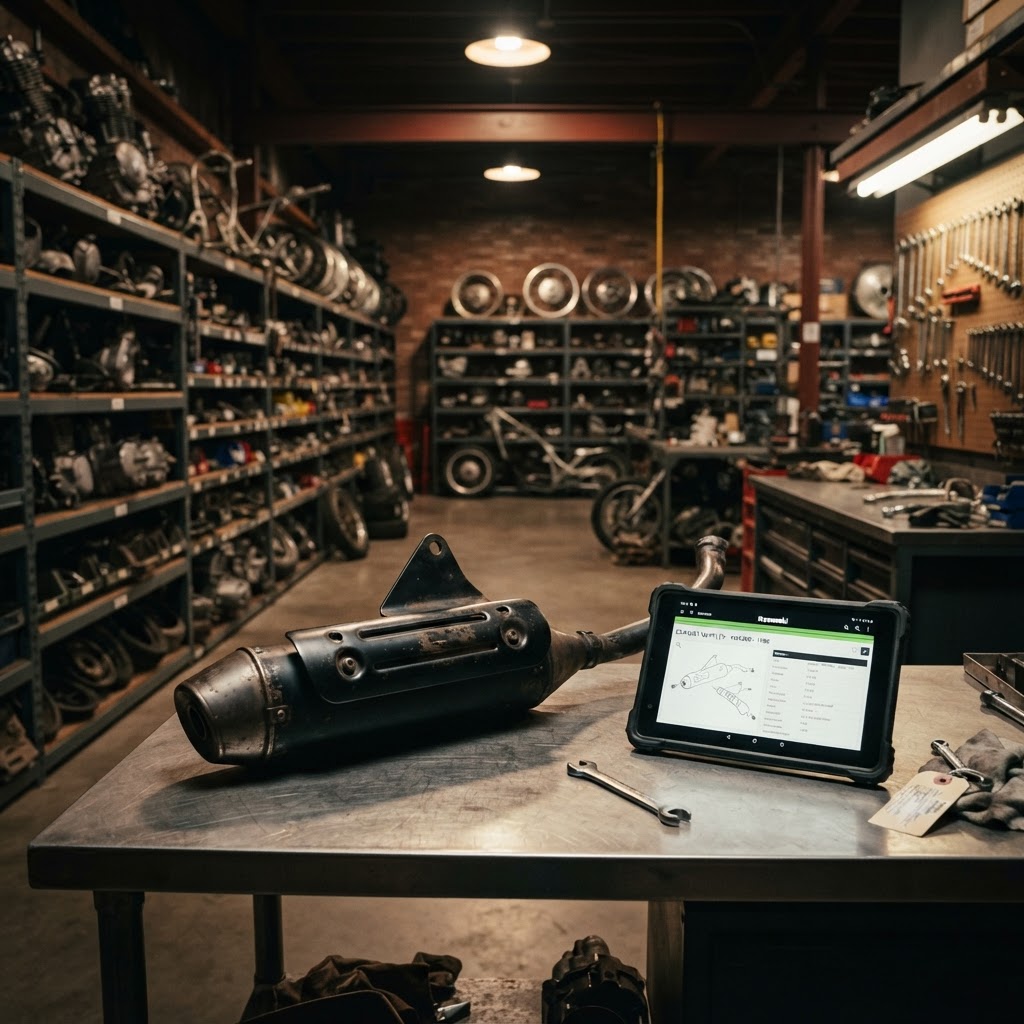
When Mike sat down to review the drafts, he was blown away. The system had isolated the photos of the exhaust. It recognized the specific shape and spark arrestor stamp. It automatically generated the title: "1988 Kawasaki KDX200 Spark Arrestor Muffler Exhaust Silencer." It categorized it perfectly under the Exhaust category. All Mike had to do was look at the pristine condition, type in his price of $150, assign it to Bin C-12, and hit approve.
Next, he looked at the engine internals. The AI had successfully separated the transmission gears from the clutch basket, creating distinct, accurate listings for the mainshaft, countershaft, and shift forks. By turning data entry into data verification, Mike processed the entire 1988 Kawasaki KDX200 before lunchtime. That afternoon, he was already tearing down the next bike, effectively doubling his shop's daily output.
Maximizing Reach: Seamless eBay Motors Bulk Listing
Having your parts digitized quickly is a massive win, but it only matters if buyers can actually find them. While hosting your own eCommerce site is crucial for avoiding marketplace fees, the reality of the salvage business is that eBay Motors remains the undisputed king of used powersports parts traffic. If your parts are not on eBay, you are leaving an enormous amount of money on the table.
This is why our system does not just stop at creating the listing in your local database. The workflow is deeply integrated with the world's largest marketplace, enabling effortless eBay Motors bulk listing.
Once you review and approve the AI-generated drafts from your bulk inventory upload, you can push the entire batch to eBay with a single click. The system maps all the AI-identified categories to the strict eBay category structure. It automatically applies eBay's specific item specifics, condition descriptors, and compatibility charts (fitment).
Because the AI part identification engine already knows that the part is a transmission mainshaft for a specific bike, it fills out the tedious eBay item specifics for you. This ensures your listings rank highly in eBay's search algorithm without you having to manually check boxes for "Brand," "Type," "Material," or "Placement on Vehicle." The integration keeps your inventory perfectly synced; when that $150 KDX200 Spark Arrestor Muffler sells on eBay, it instantly deducts from your main inventory, preventing double-sales.
Best Practices for Batch Photography
To get the absolute best results from the AI part identification software, it pays to refine your photography process. The AI is incredibly smart, but it relies on clear visual data to make accurate predictions. Here are some tips to optimize your batch photo workflow:
- Use a Contrasting Background: If you are shooting dark, greasy transmission parts, a white or light gray background helps the AI detect the exact edges and shape of the item. Avoid cluttered workbenches.
- Mind the Gap: When shooting one part, make sure no other parts are visible in the frame. The AI groups photos based on visual consistency; stray parts in the background can confuse the grouping algorithm.
- Show the Details: Always take a close-up shot of any stamped part numbers, casting marks, or brand logos. While the AI identifies the shape of the part, text recognition (OCR) can read these numbers and inject them directly into your title and description.
- Keep Lighting Consistent: Avoid harsh shadows. Invest in cheap softbox lights to illuminate the part evenly. This not only helps the AI but makes your listings look far more professional to buyers.
The Financial Impact of Reclaiming Your Time
Let us return to the economics of your salvage yard. If you can save three minutes per listing, and you list 1,000 parts a month, you have just saved 3,000 minutes. That is 50 hours of labor. What could you or your lead dismantler do with an extra 50 hours every single month?
You could source more inventory. You could optimize your warehouse layout. You could launch marketing campaigns. Or, you could simply process an additional 500 parts, directly adding thousands of dollars to your monthly gross revenue.
Furthermore, by lowering the time-cost of listing, you change what is profitable to sell. Those $25 brackets, hoses, and cables that used to go in the trash are now profitable because they take seconds to list instead of minutes. Your yield per dismantled vehicle skyrockets, making every auction purchase more lucrative.
The Future of Salvage is Here
The era of manual, single-item data entry is rapidly coming to an end. The salvage yards that thrive in the coming decade will be the ones that adopt technologies to multiply their labor force's output. By utilizing the RevParts batch lister, you are not just buying a software tool; you are completely upgrading the operational capacity of your business.
From the moment the wrench turns on a teardown to the moment a buyer clicks "Buy It Now," every step of the process needs to be frictionless. With AI part identification handling the tedious data entry, and eBay Motors bulk listing putting your inventory in front of millions of buyers instantly, you are finally free to focus on what you actually love: the machines.
Ready to start listing your parts? Sign up free at RevParts → https://revpartspro.com/become-seller
Stay in the loop
Get the latest powersports tips, new parts alerts, and seller guides — straight to your inbox. No spam.