Customizable eBay Graphic Templates for Powersports Sellers
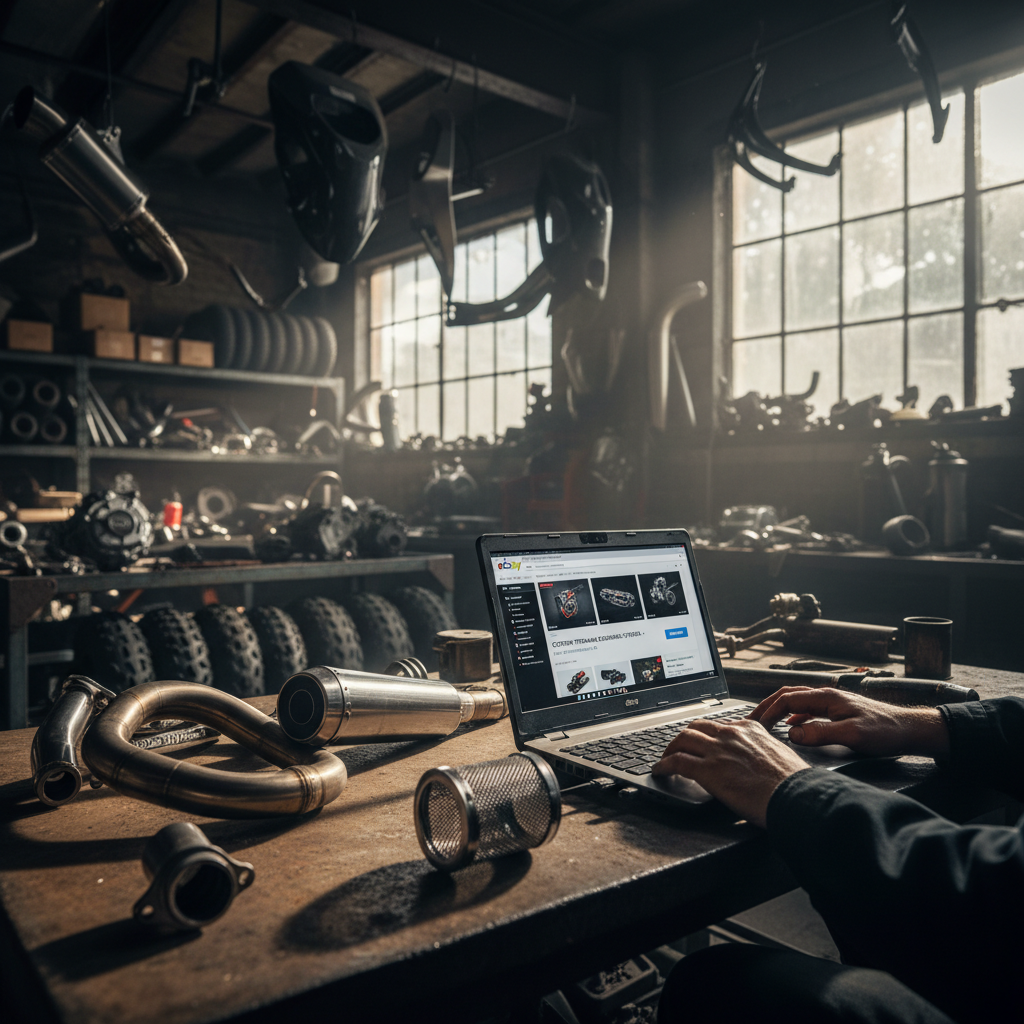
Picture this: A rider just cracked the exhaust on their dirt bike during a harsh weekend trail ride. They have another ride planned in five days, so they pull out their phone, open the eBay app, and search for a replacement part. Within seconds, they are staring at a grid of 45 identical search results. Every single thumbnail shows a slightly dirty metal component sitting on a piece of cardboard or a greasy workbench. The prices are all within ten dollars of each other. The condition is roughly the same across the board. In a sea of absolute sameness, how do you convince that rider to click on your part, trust your salvage yard, and hit the 'Buy It Now' button?
For years, powersports dismantlers and salvage sellers have relied entirely on price to win the sale. It became a race to the bottom, shaving margins thinner and thinner just to appear at the top of the 'Lowest Price' sort filter. But today’s buyer behavior has evolved. Buyers are looking for speed, reliability, and most importantly, trust. They want to know that the used part they are buying has been inspected, accurately described, and will arrive in time for their next ride. When every seller has access to the same inventory, your presentation is your only true differentiator.
This is exactly why we built the new customizable eBay listing graphic templates right into RevParts. We understand that as a working dismantler, you do not have the time to become a professional graphic designer, nor do you have the budget to hire an agency to brand your eBay store. You need a fast, automated way to make your inventory look premium. In this comprehensive guide, we will break down exactly how you can use customizable graphic templates to stand out on eBay Motors, elevate your powersports seller branding, and ultimately drive higher conversions for your salvage business.
The Evolution of eBay Listing Design
If you have been selling on eBay Motors for more than a decade, you probably remember the golden era of custom HTML listing templates. Sellers used to spend hundreds of dollars on massive, complex HTML codes that wrapped their item descriptions in flashy backgrounds, custom navigation bars, and moving text.
Then, the mobile revolution happened.
Today, over 60% of all eBay transactions involve a mobile device. eBay realized that complex HTML templates were breaking the mobile experience, slowing down load times, and frustrating buyers. As a result, eBay updated their algorithm (Cassini) and user interface to prioritize clean, text-only descriptions. On the eBay app, the item description is actually hidden behind a button that says 'Show More'.
So, if buyers are not seeing your custom HTML descriptions, where does your eBay listing design live now? The answer is in your image gallery.
The photo gallery is the new storefront. Buyers swipe through your images before they ever read a single word of your description. If you want to communicate your warranty, your fast shipping times, your fitment guarantees, and your professionalism, you have to do it visually. This is where modern eBay listing templates come into play. By overlaying customized, professional graphics onto your secondary listing photos, you immediately separate yourself from the 'junk yard' stereotype and position yourself as a premium parts supplier.
Why Powersports Seller Branding is Your Secret Weapon
Let’s talk about perception. The term 'salvage' carries a lot of baggage. For some buyers, it implies rusty, untested parts pulled from a wrecked bike sitting in a muddy field. As a modern, professional dismantler, you know that couldn't be further from the truth. You carefully test, clean, catalog, and shelve your inventory in climate-controlled warehouses. But the buyer doesn't know that unless you show them.
Powersports seller branding is about bridging the gap between your professional operation and the buyer's perception. Dirt bikers, ATV riders, snowmobile enthusiasts, and jet ski owners are passionate about their machines. They invest thousands of dollars into their sport. When they buy a replacement part, they want to buy from fellow enthusiasts who understand the mechanics, not just a generic auto recycler who happens to have a motorcycle frame in the back corner.
Effective eBay Motors branding communicates three things instantly:
- Authority: You are a specialist in powersports, not a generalist.
- Quality Assurance: Your parts are tested, verified, and backed by a return policy.
- Reliability: You ship fast, and the part will arrive exactly as pictured.
When you consistently brand your listings with a recognizable logo, specific brand colors, and clear informational graphics, you build a visual footprint. A buyer who has a great experience buying a stator from you will recognize your branded graphics the next time they search for a carburetor. Repeat buyers are the lifeblood of a highly profitable salvage operation, and strong eBay Motors branding is the key to creating them.
Introducing RevParts Customizable eBay Listing Templates
Recognizing the critical need for visual differentiation, we are thrilled to introduce customizable eBay listing graphic templates directly within the RevParts ecosystem. We designed this feature specifically for high-volume salvage and dismantler operations who need to brand their inventory at scale without slowing down their listing workflow.
RevParts eBay tools have always focused on making your life easier, from seamless inventory management to cross-posting. Now, we are giving you the power to overlay beautiful, conversion-optimized graphic templates onto your image galleries automatically.
What exactly does this mean for your workflow? It means you no longer have to open Photoshop or Canva to add a '30-Day Warranty' badge to your photos. You don't have to manually edit pictures to include your shop's logo. With our new feature, you simply define your brand settings once, choose a professional layout, and the software dynamically generates and applies these graphic slides to every single listing you push to eBay.
Key Features of Our New Graphic Templates
- Drag-and-Drop Logo Integration: Upload your powersports salvage logo, and we will flawlessly integrate it into the visual template.
- Custom Brand Colors: Match your eBay graphics to your website and physical shop branding by selecting custom hex codes.
- Automated Policy Callouts: Visually display your free shipping, return policies, and fitment guarantees in bold, easy-to-read typography.
- Mobile-Optimized Formatting: Every template is rigorously tested to ensure it looks crisp, clear, and perfectly readable on the smallest smartphone screens.
- Bulk Application: Apply a new template to thousands of live SKUs with just a few clicks, instantly refreshing your entire eBay store.
Step-by-Step: Creating Your Custom eBay Listing Graphic
Implementing professional eBay listing design has never been faster. If you are a working dismantler juggling teardowns, shipping, and customer service, you can have your new branded templates up and running in less than fifteen minutes. Here is how you do it:
Step 1: Define Your Value Propositions
Before you touch the software, figure out why buyers should choose you. Do you offer free 2-day shipping? A 60-day money-back guarantee? Are all your parts tested by certified mechanics? Write down your top three selling points. These will become the text callouts on your graphic templates.
Step 2: Access the RevParts Design Hub
Log into your dashboard and navigate to the 'eBay Integrations' tab. Click on 'Listing Templates'. Here, you will see a variety of layout options designed specifically for the automotive and powersports categories.
Step 3: Choose Your Base Layout
Select a layout that fits your style. Some templates feature heavy, aggressive borders ideal for off-road and dirt bike sellers, while others offer sleek, minimalist designs better suited for high-end street bike and metric cruiser dismantlers.
Step 4: Upload Your Branding Assets
Upload a high-resolution PNG of your company logo with a transparent background. Next, input your primary and secondary brand colors. If your shop uses neon green and black, input those codes so the template frames match your identity perfectly.
Step 5: Input Your Policy Text
Take the value propositions you wrote down in Step 1 and type them into the designated policy fields. Keep it short and punchy. 'Fast Free Shipping', 'Tested OEM Parts', 'Hassle-Free Returns'.
Step 6: Preview and Publish
RevParts will generate a real-time preview of how your new graphic will look layered alongside your actual part photos. Once you are satisfied, click 'Apply to Active Inventory'. Our system will run in the background, updating your eBay Motors branding across your entire catalog without any manual data entry on your part.
Mini Case Study: Turning an Exhaust Spark Arrestor into a $150 Fast Sale
To truly understand the power of eBay listing templates, let’s look at a real-world scenario from a high-volume dismantler using our platform.
The item in question is a used, OEM Spark Arrestor priced at $150 in the active RevParts Exhaust category.
The Situation: A buyer needs this specific spark arrestor to pass a strict decibel and emissions check before a weekend trail ride at a state park. They are anxious. If the part doesn't fit, or if it arrives damaged, their weekend is ruined. They search eBay Motors and find 12 identical OEM spark arrestors ranging from $130 to $160.
The Competition: Most of the listings feature poorly lit photos of the exhaust part sitting on a dirty concrete floor. The descriptions are massive walls of red and blue text from 2008 that read: 'SOLD AS IS. NO RETURNS. BUYER MUST VERIFY FITMENT.' There is zero visual reassurance.
The RevParts Advantage: Then, the buyer clicks on a listing powered by RevParts eBay tools. The first image is a bright, clear shot of the spark arrestor on a clean white background. When the buyer swipes to the second image, they don't just see another angle of the exhaust pipe. They see a stunning, professionally designed graphic.
The graphic features the seller's rugged, professional logo. Bold text reads:
- 'Tested OEM Exhaust Components'
- 'Guaranteed Fitment'
- 'Ships Same Day if ordered by 2 PM'
- '30-Day Trail-Tested Warranty'
The Result: Even though this seller's spark arrestor was priced at $150—which was $20 higher than the cheapest option—the buyer purchased it immediately. Why? Because the eBay listing design manufactured trust. The custom graphic assured the buyer that this wasn't just a random piece of metal from a scrap pile; it was a verified part from a professional powersports operation. The seller secured a higher profit margin and a faster sale simply by upgrading their visual presentation.
Best Practices for eBay Motors Branding and Photography
While RevParts makes applying eBay listing templates incredibly easy, the graphics are only as good as the photography they accompany. To maximize your conversion rates, you need to pair your new branded templates with top-tier salvage photography. Here are the best practices for powersports sellers:
1. Standardize Your Backgrounds
Consistency is the hallmark of a professional brand. Whether you use a white sweep, a clean metal workbench, or a custom-branded physical mat, use the exact same background for every single part. When a buyer visits your eBay store page, the uniform backgrounds combined with your custom graphic templates will make your store look like a high-end catalog.
2. Light it Up
Shadows hide defects, and hidden defects lead to 'Item Not As Described' returns. Invest in bright, diffuse LED lighting for your photo station. If you are selling an exhaust header, the buyer needs to clearly see if there are any hairline cracks or deep dents. Good lighting builds trust before they even read your branded guarantees.
3. Show the Flaws
It sounds counterintuitive, but highlighting the damage actually increases trust. If that spark arrestor has a deep scratch on the heat shield, take a macro close-up photo of it. When buyers see that you are transparent about the flaws, they believe you when your graphic template says 'Trusted Seller'.
4. Keep the Main Image Clean
eBay's algorithm heavily favors clean, clutter-free primary images. Do not put your custom graphic templates on the very first photo (the thumbnail). Use RevParts to automatically slot your branded graphic as the second or third image in the gallery. This keeps you in compliance with eBay's strict image policies while still delivering your branding message to anyone who clicks on the listing.
Future-Proofing Your Salvage Business with RevParts eBay Tools
The powersports salvage industry is modernizing rapidly. The dismantlers who survive and thrive over the next decade will be the ones who adopt technology to scale their operations efficiently. Relying on manual processes, outdated HTML, and unbranded, low-effort listings is a surefire way to get left behind by hungrier, more tech-savvy competitors.
By utilizing the customizable eBay listing graphic templates within RevParts, you are doing more than just making your photos look pretty. You are fundamentally changing how the market perceives your business. You are stepping out of the shadows of the 'junk yard' and stepping into the light as a premier, trusted powersports parts provider.
Furthermore, because these tools are integrated directly into your inventory management system, you are achieving this massive upgrade in presentation without adding hours of manual labor to your daily workflow. You tear down the bike, you tag the part, you snap the photos, and RevParts handles the rest—layering your brand identity onto the listing and pushing it to millions of eager buyers on eBay Motors.
Stop letting your premium salvage inventory blend in with the background noise. It is time to command higher prices, build a loyal base of repeat riders, and dominate your specific niche in the powersports market.
Ready to start listing your parts with professional, high-converting designs? Sign up free at RevParts → https://revpartspro.com/become-seller
Stay in the loop
Get the latest powersports tips, new parts alerts, and seller guides — straight to your inbox. No spam.